TeXmacs Upsilon features
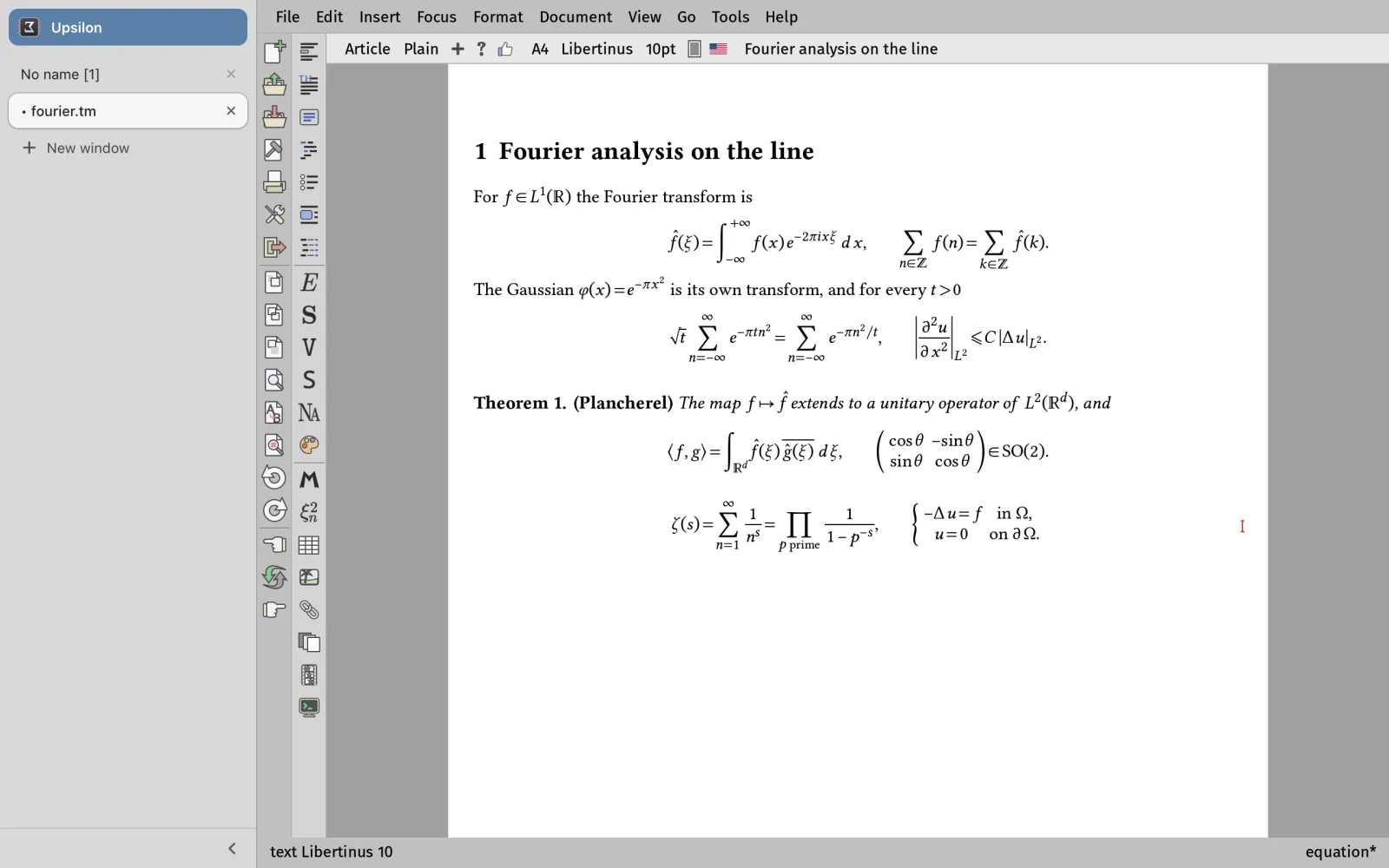
TeXmacs Upsilon is an enhanced and bleeding-edge version of GNU TeXmacs with experimental features. These screenshots show some of what it adds; the README and Help > Upsilon features list everything. Click a picture for its full size.
OpenType mathematics
Formulas are laid out from the MATH table of any OpenType
math font, with the stretchable delimiters and accents of the font
itself. Some two dozen math fonts are paired with their text
companions, most of them shipped with TeXmacs; here Libertinus.
Interfaces, themes and icons
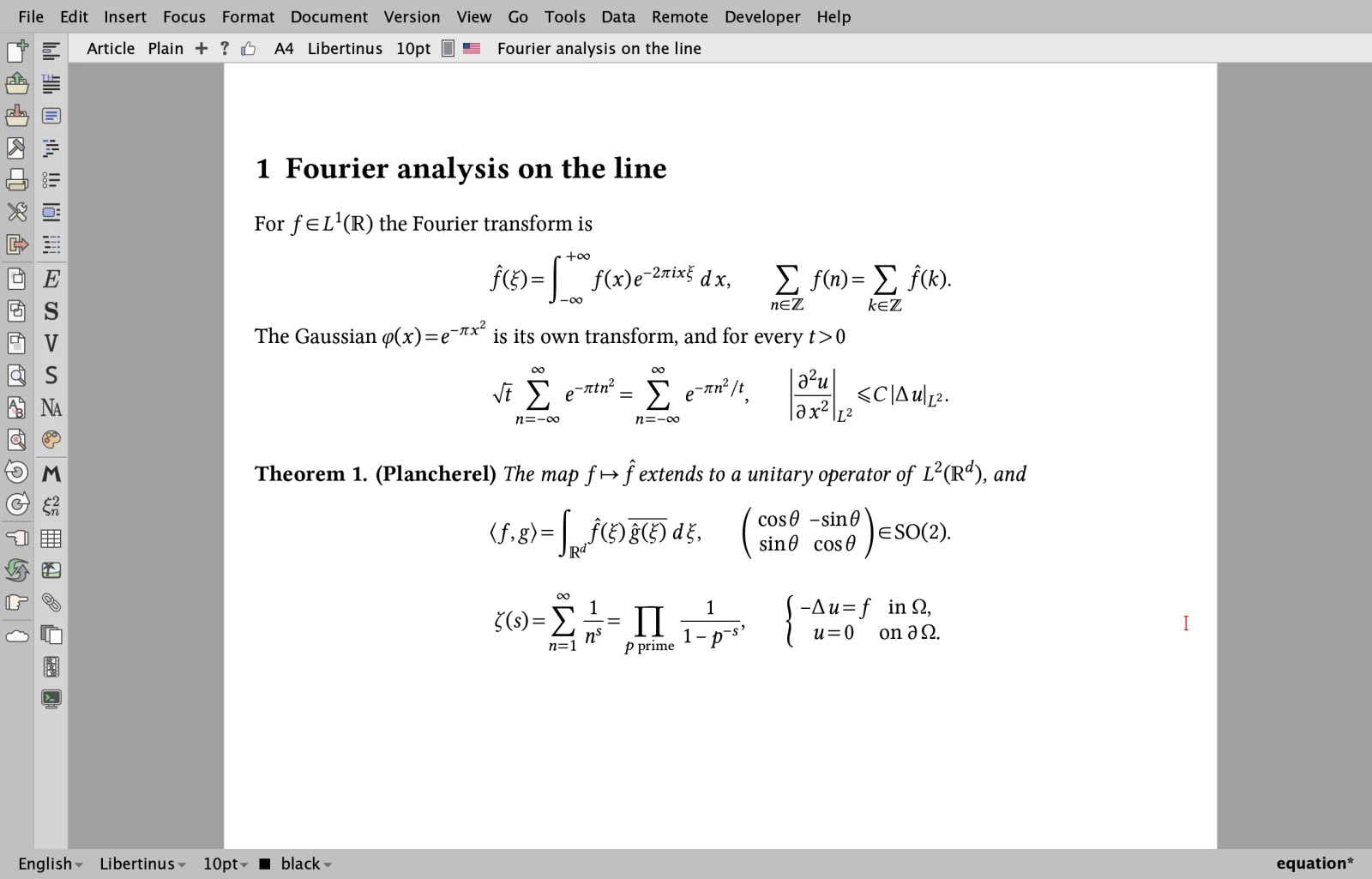
The same page in STIX Two, in the Vue interface with its dark theme and the Lucide icons. Besides Qt, TeXmacs Upsilon can be built with Vue, an interface drawn by the GPU, and with a native Cocoa interface for macOS; four icon sets come along.
A native Cocoa interface
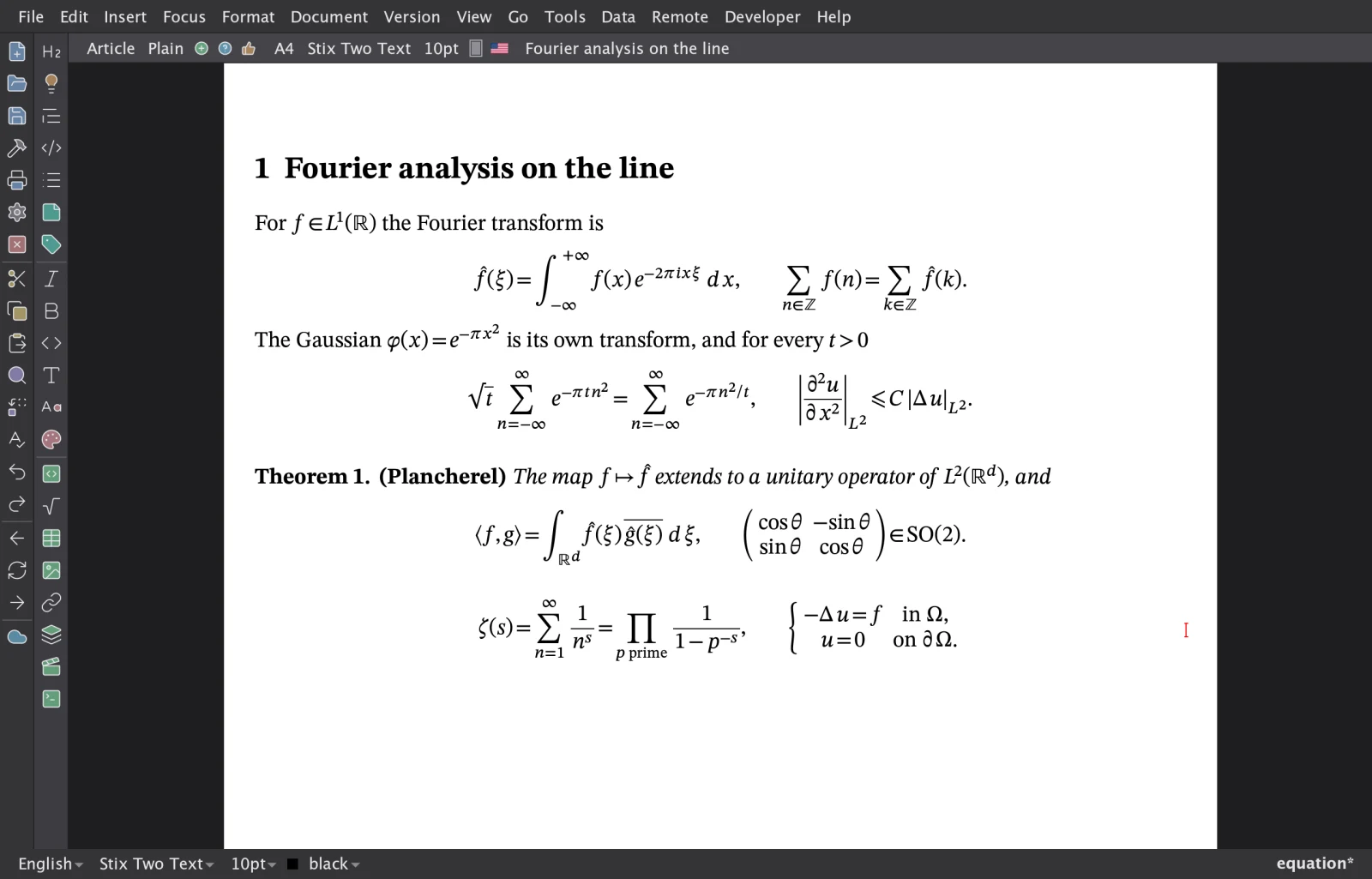
On macOS, TeXmacs Upsilon also comes as a native Cocoa application: the menus in the menu bar of the Mac, the bars and the dialogs of macOS, the documents drawn by the GPU (Metal). Here with the dark theme and TeX Gyre Pagella.
Font design
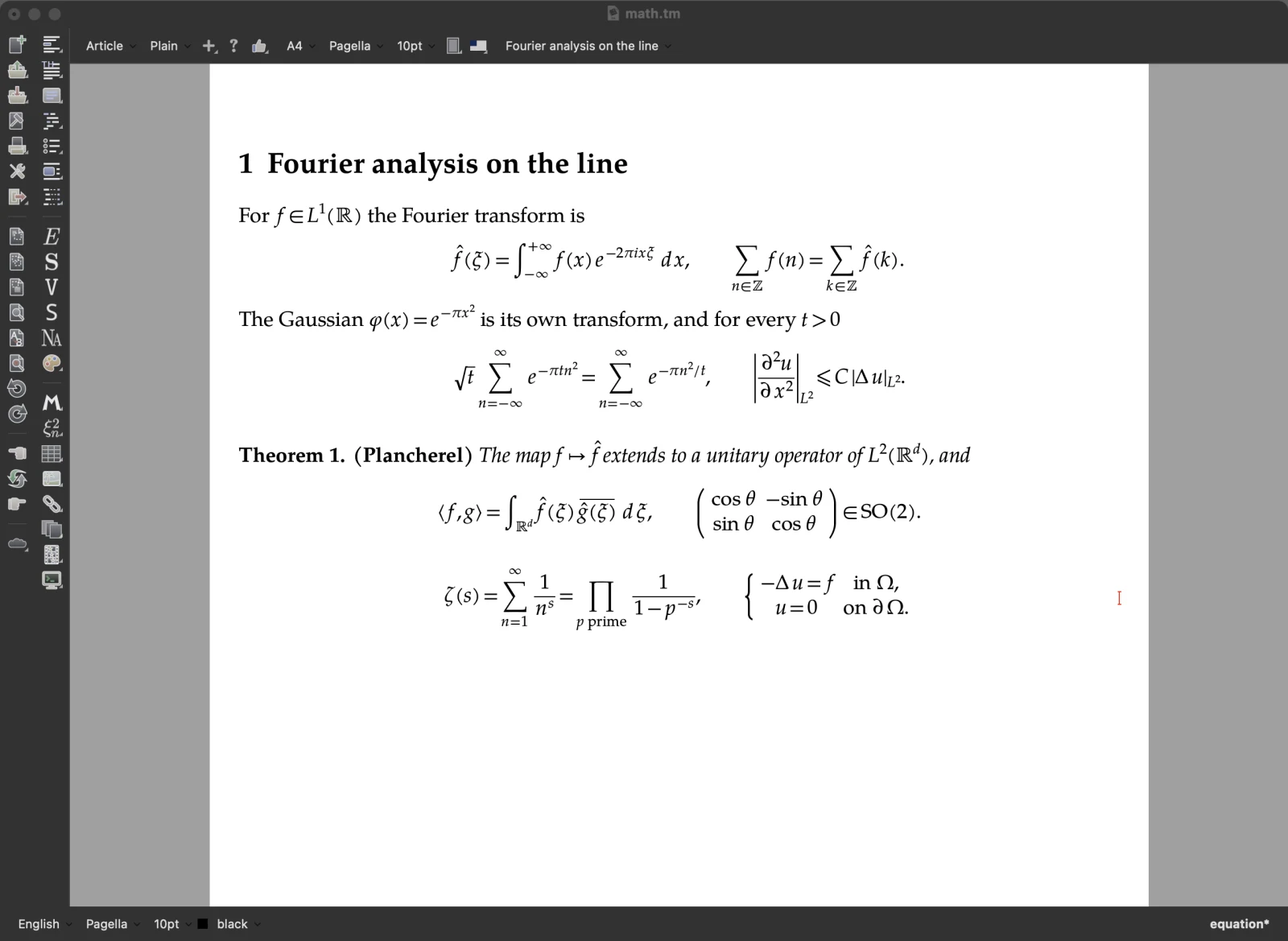
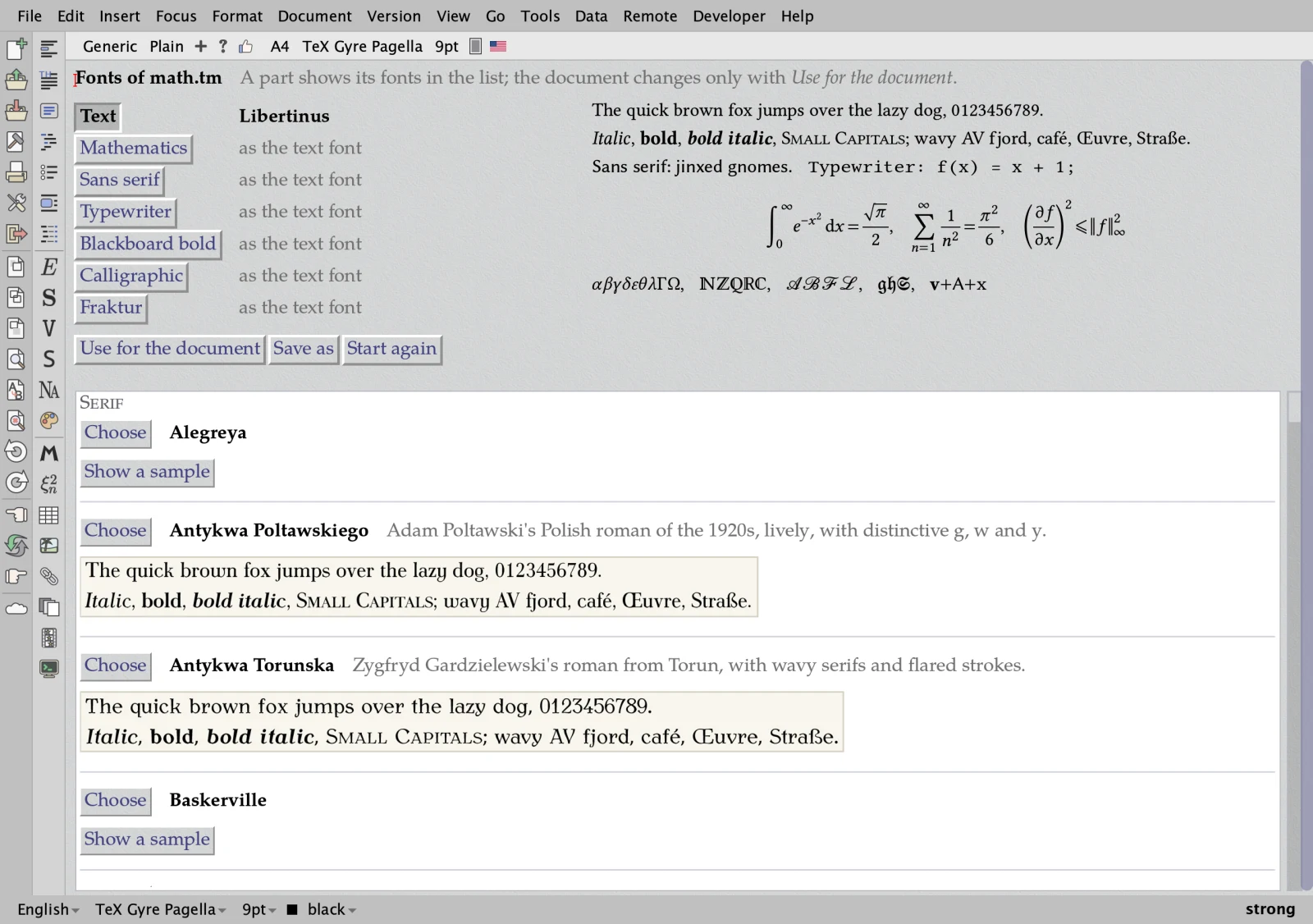
A page with a tab for each part of a document (text, mathematics, sans serif, typewriter, blackboard bold, calligraphic, fraktur) shows samples of the fonts, applies a choice to the document and saves named choices. More fonts come along: DejaVu, Gentium Plus, the Antykwas, Iwona, the weights of IBM Plex…
Faster typesetting
An edit in a long document costs about as much as the paragraph it touches: what an edit did not change is used again (the reuse follows what each part of the document read from its environment), the page breaks are not searched again when the sizes stay, and the labels of the table of contents and of the index no longer renumber everything after them. What is typeset is the same, byte for byte. The time of one edit in the middle of the user manual (Help > Manual, 290 pages):
| Edit | Standard TeXmacs | TeXmacs Upsilon |
|---|---|---|
| type a letter | 283 ms | 17 ms |
| Return (a new paragraph) | 306 ms | 39 ms |
| Backspace (two paragraphs joined) | 854 ms | 16 ms |
| a new section | 1355 ms | 62 ms |
| a new numbered equation | 872 ms | 44 ms |
| type in the equation | 317 ms | 36 ms |
The typesetting time of each edit, without the
repaint, from TEXMACS_EDIT_PROFILE; Qt and Guile 1.8 on
both sides, macOS on an Apple M4, medians of 3 runs. Standard TeXmacs
is the official sources with the bug fixes of this repository, which
do not change the typesetting. Typing 30 letters in the middle of the
reference of the Scheme functions takes 39 ms instead of 257. Details:
pull request
#333.
Three Scheme interpreters
TeXmacs is programmed in Scheme, on Guile 1.8. TeXmacs Upsilon runs
on S7
(the default, and the one of the browser) and on
femtolisp too,
chosen when TeXmacs is built
(./configure --with-scheme=s7|femtolisp|guile); one Scheme
code base serves the three. Where Scheme does the work, S7 and
femtolisp are several times faster; in the interactive work the time
is that of the C++ of TeXmacs, the same with all three.
| Guile 1.8 | S7 | femtolisp | |
|---|---|---|---|
| a bibliography of 300 references in a style of CSL, three times | 6.3 s | 3.6 s | 1.75 s |
| a document to LaTeX | 2.4–3.9 s | 0.70 s | 0.55 s |
| a document to Markdown | 0.7–1.1 s | 0.07 s | 0.18 s |
| a Word document (.docx) read | 0.47–0.64 s | 0.19 s | 0.16 s |
macOS on an Apple M4, the three on the same machine and the same documents. The first window is ready after about 0.7 s with S7 against 1.9 s with Guile (femtolisp: about 0.1 s more than S7). Details: the benchmarks of the converters and of CSL and S7 against Guile.
Program code with tree-sitter
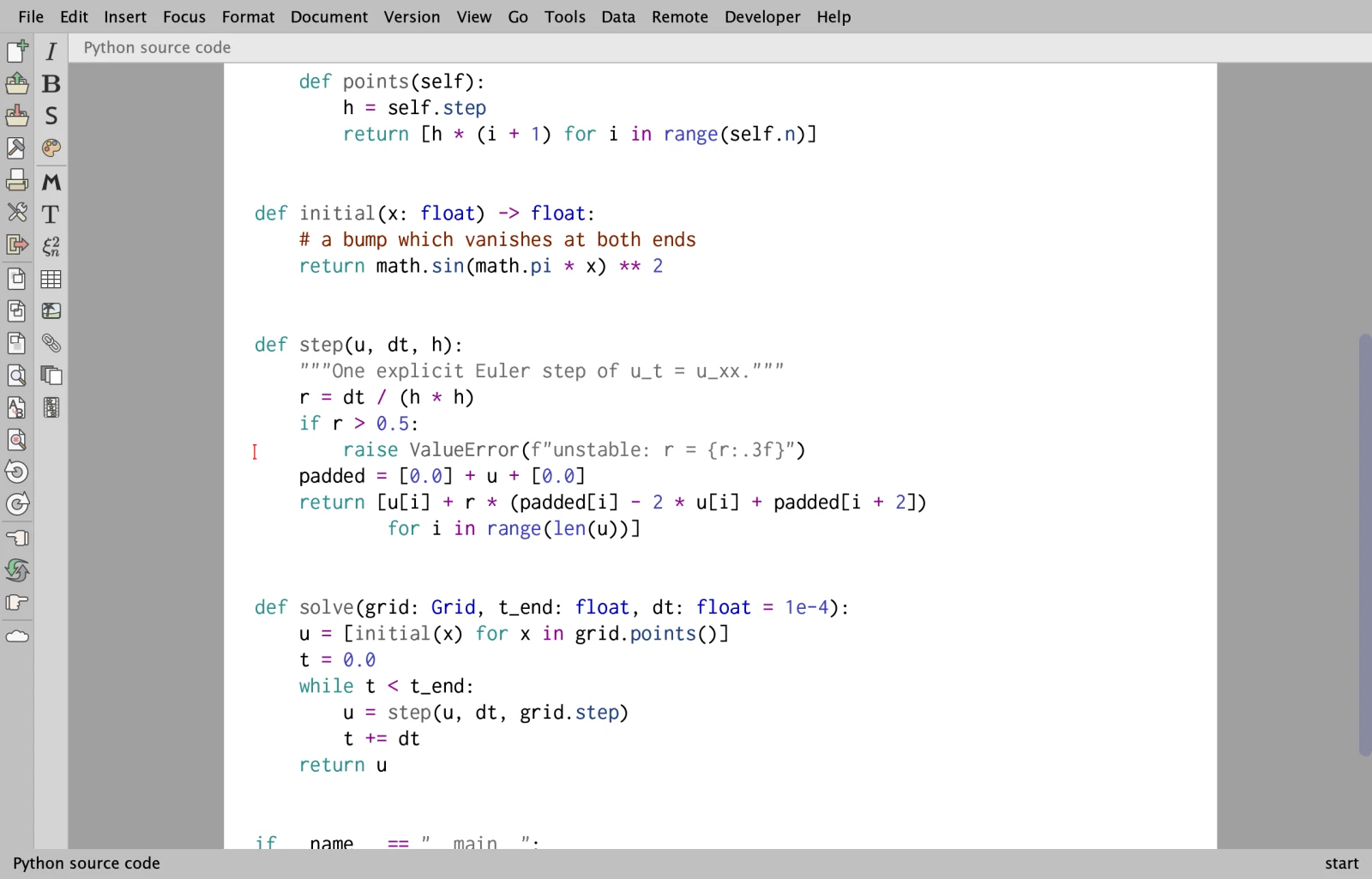
The syntax of 22 languages, by tree-sitter, in source files, in the code blocks of documents and in the inputs of sessions: colours, folds, an outline, selection and moves by structure, brackets, indentation and comments. Source files are saved exactly as they were loaded.
Language servers
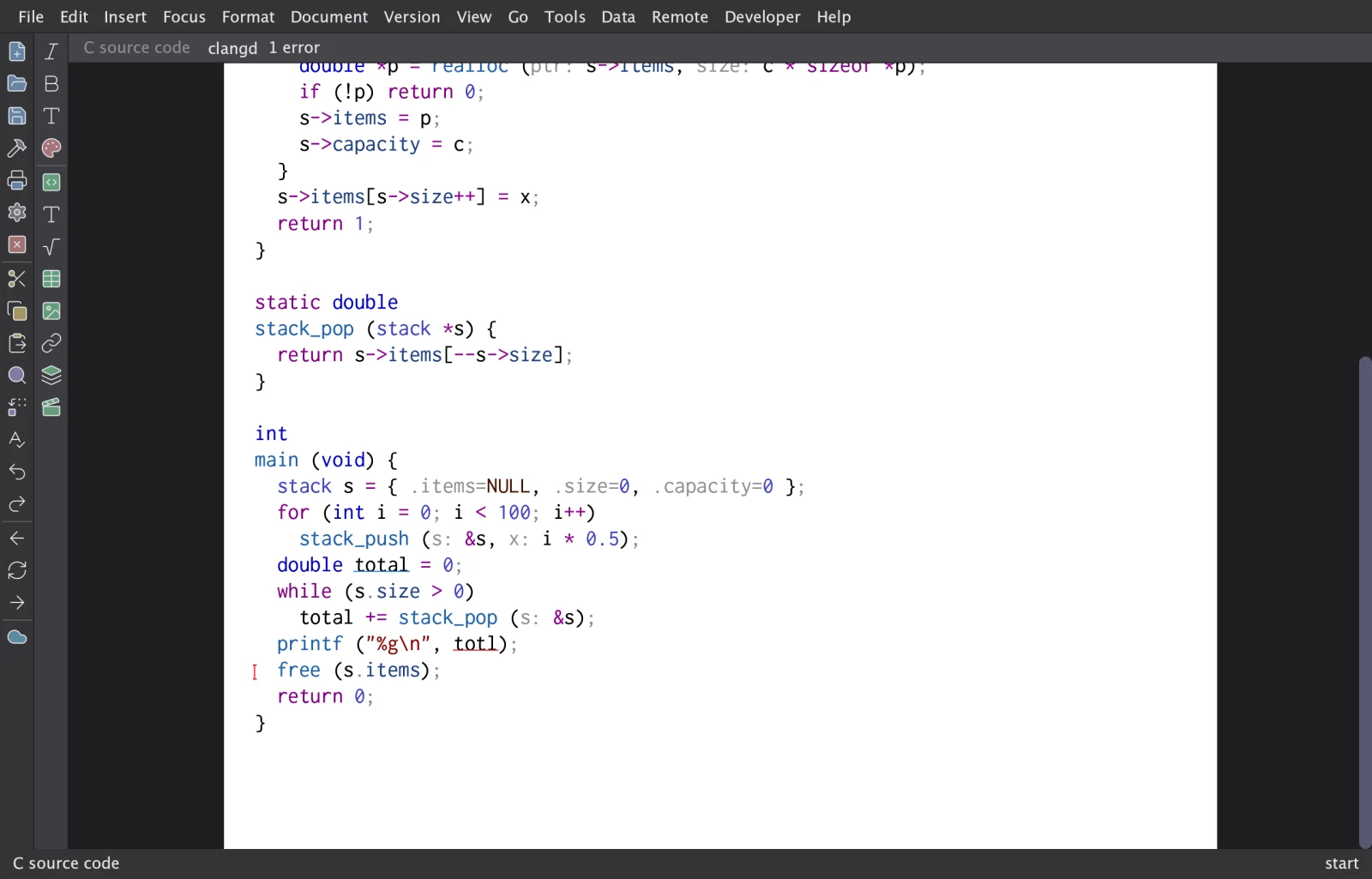
Source files are followed by the language server of their language when it is installed, here clangd for C: diagnostics, completion, information on hover, references, renaming, fixes and formatting; a code block of a document is a document of its server too.
Git
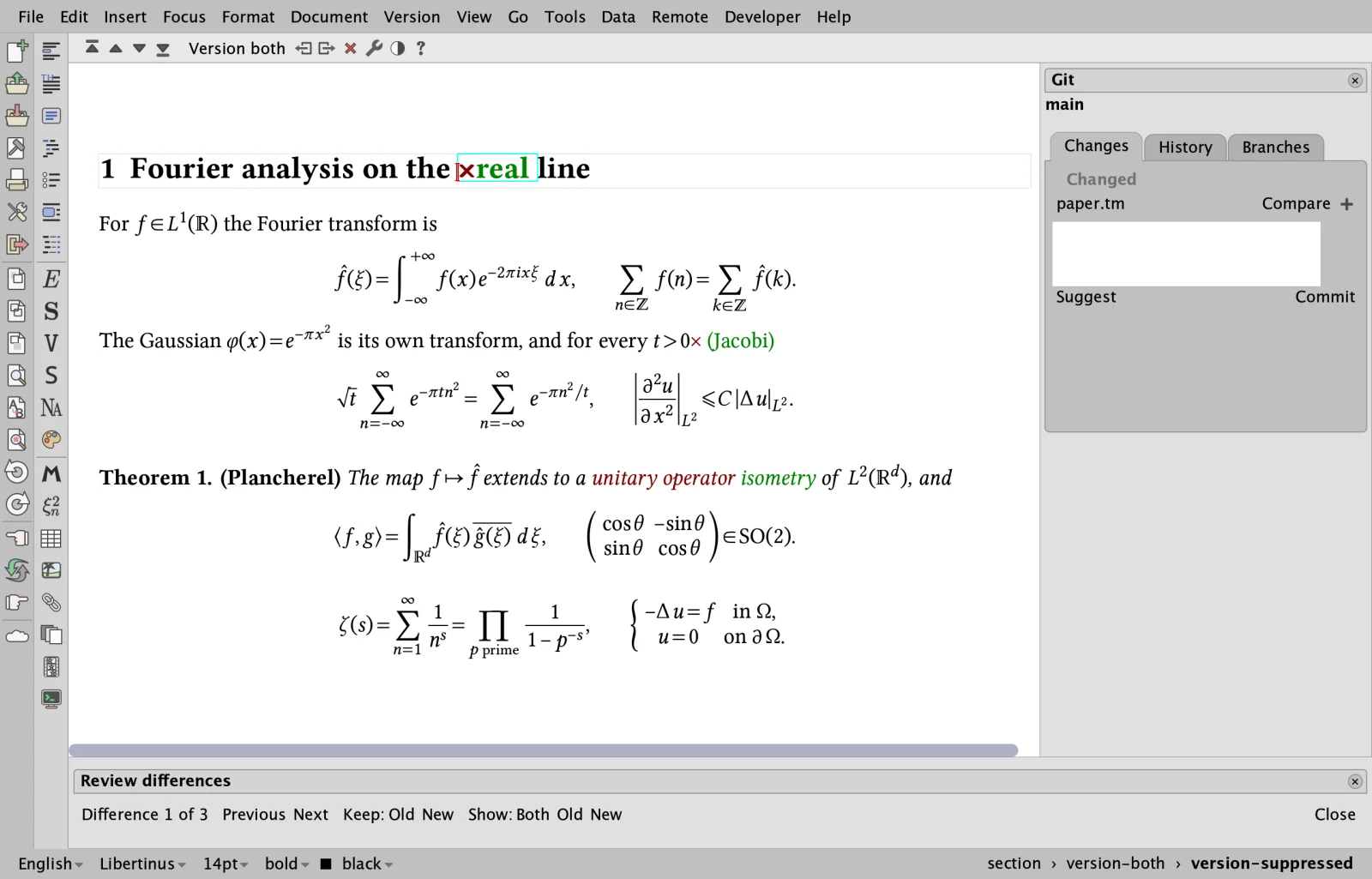
The Version menu works with Git: a side panel, commits, the history, branches, the synchronization with a remote, and the comparison with any revision, marked in the typeset document. Merges of TeXmacs documents follow their structure.
Citation styles and Zotero
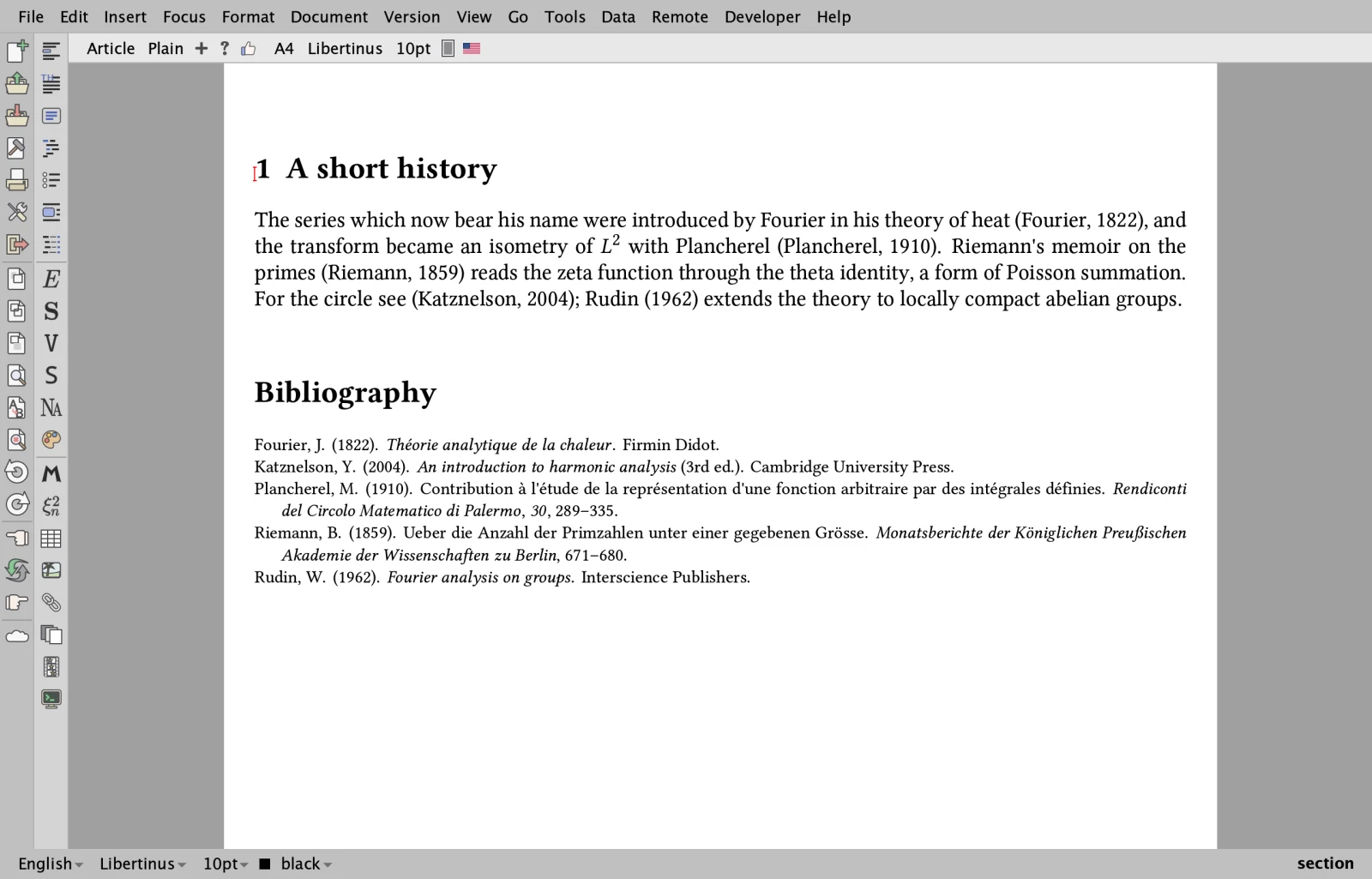
The styles of the Citation Style Language (those of Zotero, Mendeley and Pandoc) are processed by TeXmacs itself: here APA, for the citations and the bibliography. References can also come from the Zotero application.
AI sessions
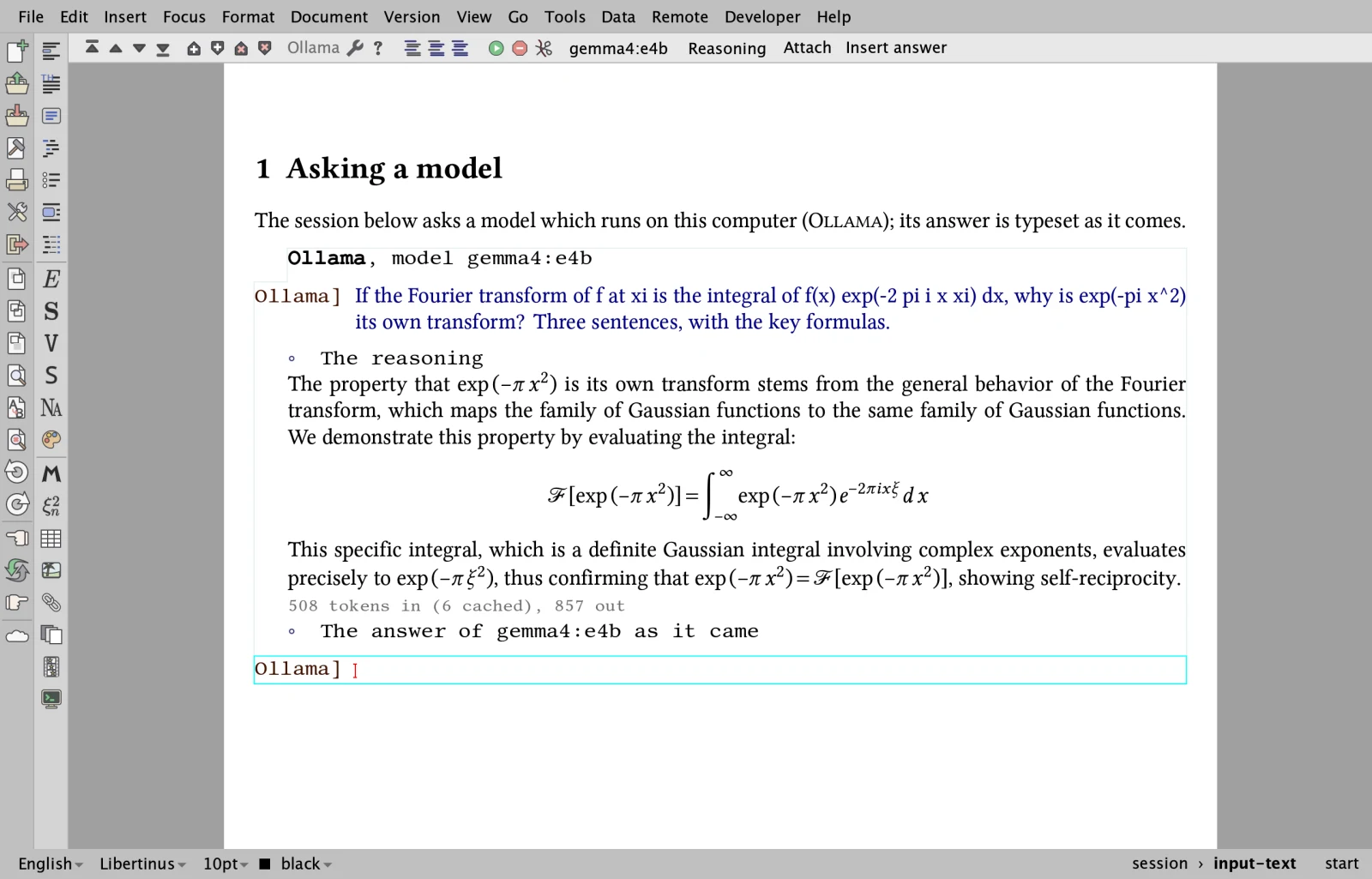
Chats with ChatGPT, Claude, Gemini, Mistral, OpenRouter, Albert or a model on your computer (Ollama, here gemma4) inside a document: the answers are streamed and typeset as they come, files can be attached, and the keys are kept in an encrypted wallet.
In the browser
The same TeXmacs, compiled to WebAssembly, runs in a web page with nothing to install; documents stay in the browser, and Python, R, TikZ and Asymptote run in the page too. Open it.